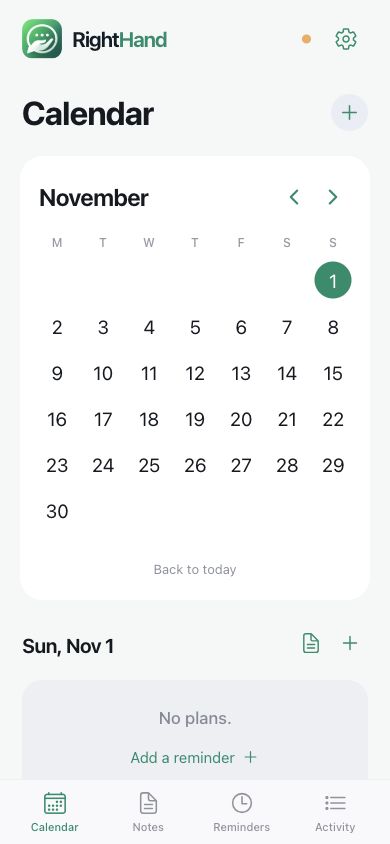
RightHand lives in your WhatsApp. The companion app keeps everything organized.
Actual app interface · browser preview
FIRST, YOUR CONSENT
Read it. Then make it yours.
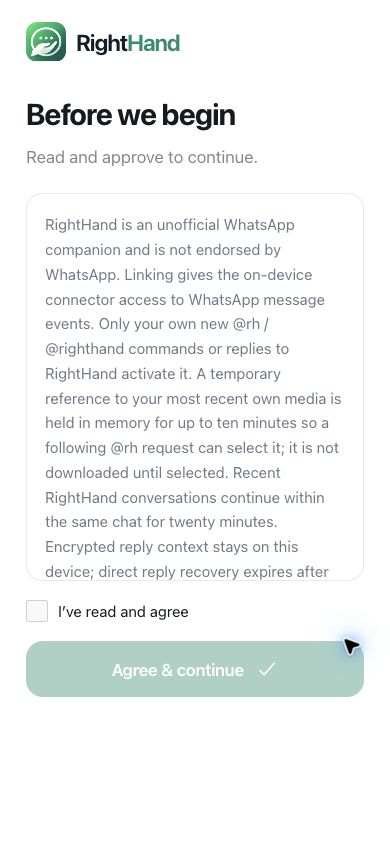
Terms come before linking. Scroll to the end, acknowledge them, then continue.
01
Install & approve.
Open the signed Android download when it is available. Read the terms in RightHand, scroll to the end, tick the agreement and continue.
Public APK release is currently held for licensing review. Do not disable your phone’s general security protections. Existing developer testers should update through the same test channel to preserve their data.
02
Choose your WhatsApp.
Choose your number, use Read SIM number with permission, or enter country code + number. Select the correct WhatsApp app if you have two.
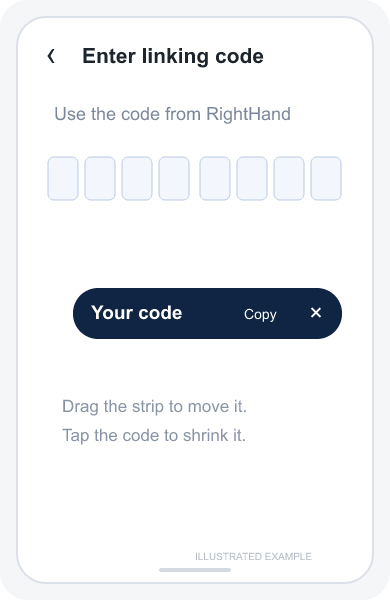
Tap Connect to WhatsApp. Keep the fresh linking code visible using the optional floating card, or copy it before switching.
THE WHATSAPP PART
Follow the code. Not the confusion.
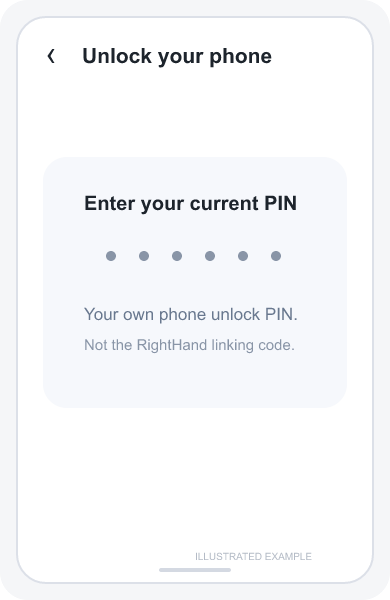
Your phone unlock PIN and RightHand’s linking code are different. These steps are illustrations, not photographs of WhatsApp.
01
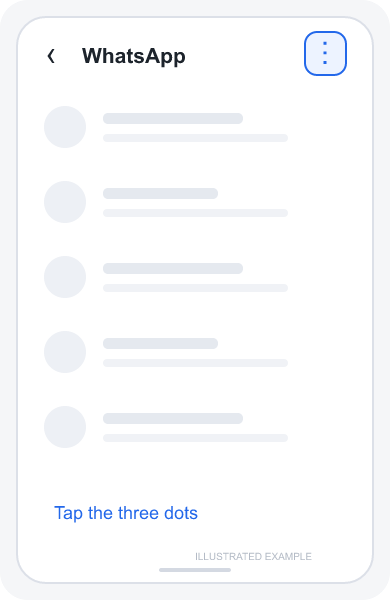
Open the menu
In the WhatsApp account you want to link, tap the three dots.
ILLUSTRATED WHATSAPP STEP02
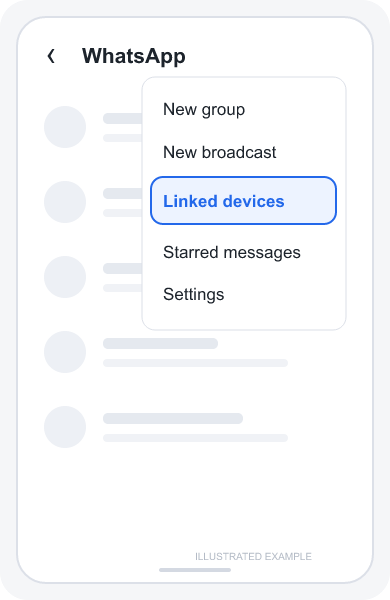
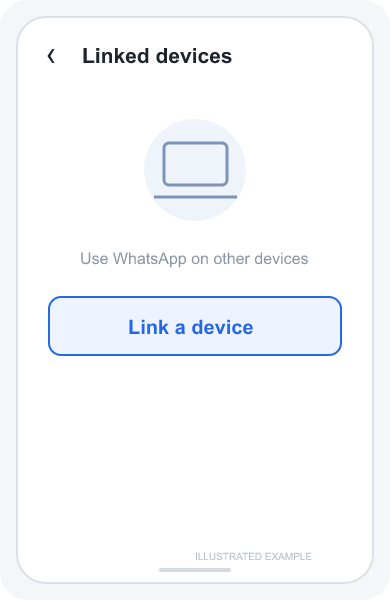
Choose Linked devices
Open Linked devices from that menu.
ILLUSTRATED WHATSAPP STEP03
Link a device
Tap Link a device.
ILLUSTRATED WHATSAPP STEP04
Unlock your phone
Use your normal phone PIN or fingerprint. Never enter or share that PIN in RightHand.
ILLUSTRATED WHATSAPP STEP05
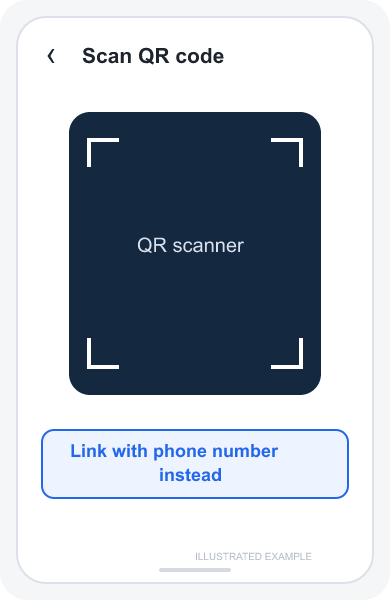
Use your phone number
At the QR scanner, choose Link with phone number instead.
ILLUSTRATED WHATSAPP STEP06
Enter the linking code
Enter the current code from RightHand—not your phone PIN. Return to RightHand to finish setup.
ILLUSTRATED WHATSAPP STEP
Stuck, expired code or the wrong WhatsApp?
Use a fresh code from RightHand and enter it in the account matching your chosen number. If WhatsApp rejects an attempt, return to the app and regenerate; do not repeatedly reuse an expired code. For an already linked account, use Resume. Disconnect only when you intend to remove that link. Check the connection status before starting again.
03
Finish in RightHand.
Return through RightHand’s notification or app icon after WhatsApp says it is connected. Optional Gmail, Hotmail or Outlook connection uses provider sign-in. You can skip email.
The current private beta may show the tester OpenAI-key step. The planned company-paid service will replace it with account access and the $0.20 trial; that migration is not active yet.
04
Give it a first task.
@rh remind me tomorrow at 9 to stretch
Then reply: “make it 10”. For a recording, reply to your own voice note with @rh listen and act. Start with a small task and check its saved result.
INSIDE THE APP
Less noise. More clarity.
Choose a day for your notes and reminders. Use the bottom tabs for lists and activity.
Actual current app interface, captured in its browser preview. WhatsApp illustrations above are labelled separately. Real WhatsApp linking captures are not yet included.
Actual app interface · browser previewActual reminder editor · sample text, not saved
IF AN ANSWER DOESN’T ARRIVE
Check. Resume. Carry on.
Open the status strip in RightHand → Test connection. It checks WhatsApp and AI access. Use Resume to restart the saved connection. Phone alerts need notification permission; precise timing may need Android’s alarms setting.